|
Un-rostering staff |
  
|
|
Un-rostering staff |
|
When Employees ring in sick or they become unavailable for a shift for whatever reason, you must take them off the shift they were on. If the Employee is able to tell you which job they were on, you can go straight to "Job Maintenance" (see Job Maintenance) and un-roster them there.
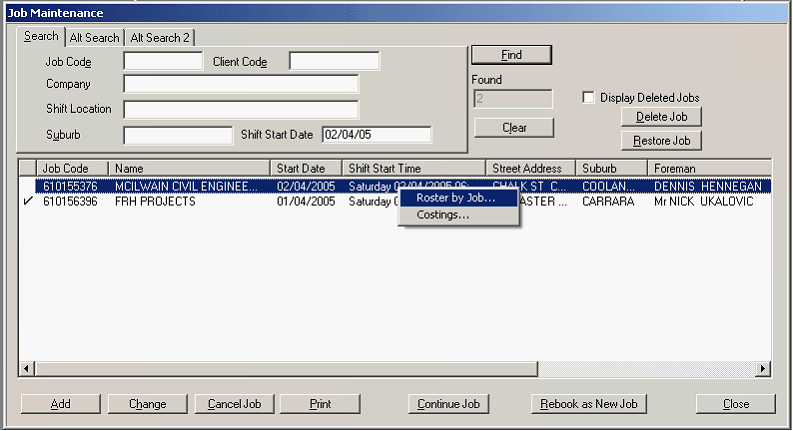
Right-hand click the job in which you need to un-roster the Employee from. Left-hand click "Roster by Job", the screen below will appear. Double click on the Employee you need to replace and in the box that pops-up, type the reason why the replacement had to be made in the box provided, as below.
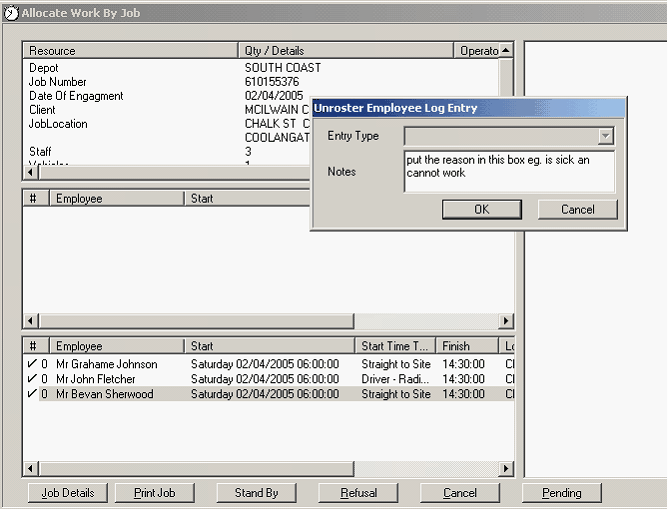
Then press the "OK" button.
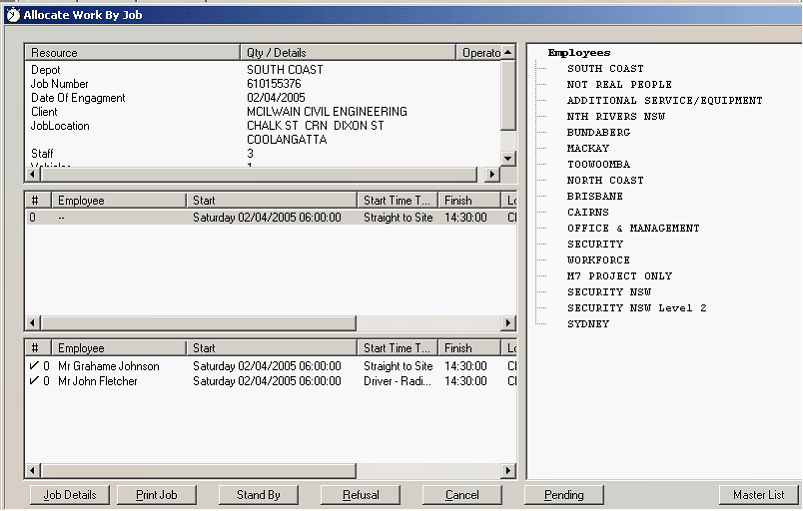
Go back into the job as above, and find the replacement. Double left-hand click the chosen Employee's name.
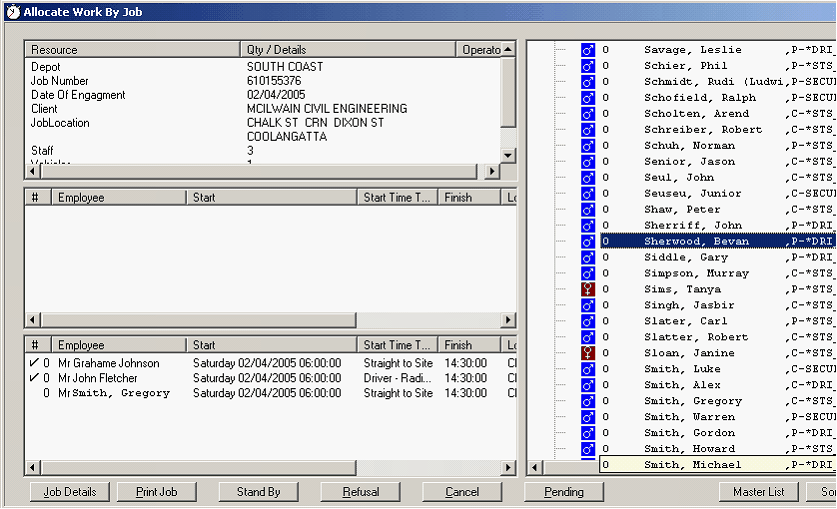
Press the "OK" button to confirm the change.
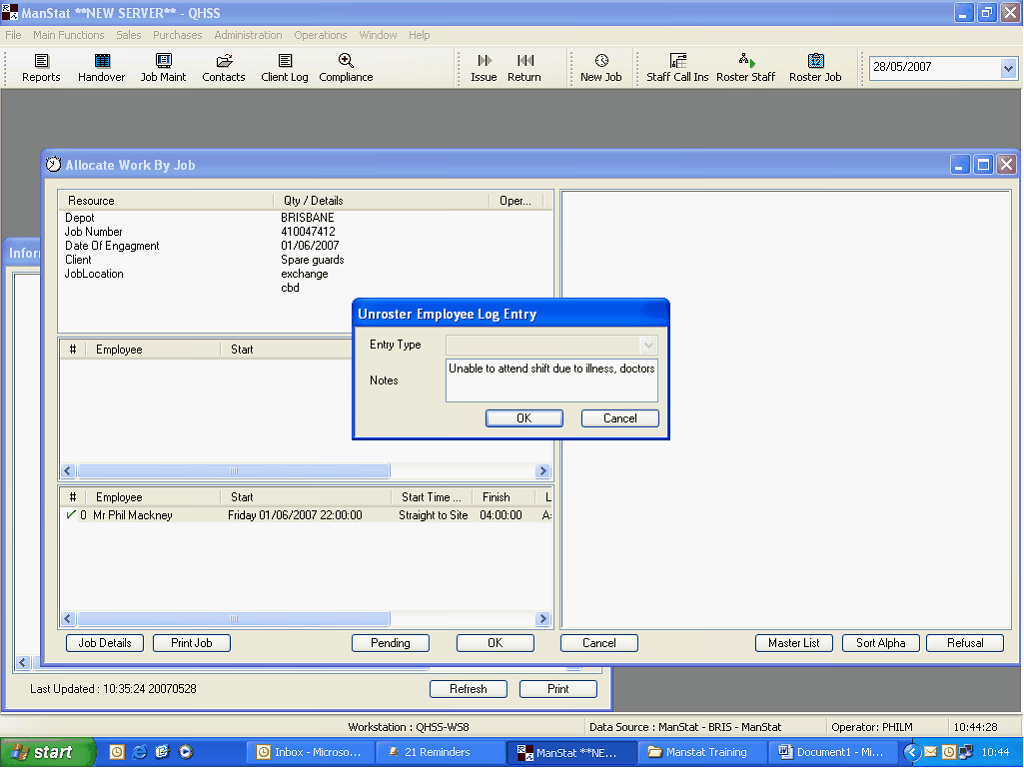
1. Select Job where staff member is rostered
2. Double click on staff member you wish to remove from shift
3. Place reason for removal in "Note" section
4. Click "OK"
5. Click "OK"