|
Adding shifts to a Job |
  
|
|
Adding shifts to a Job |
|
Adding a Shift After the job has commenced
Open the job using "Job Maintenance" and right click "Roster by Job". In the box provided, right click and "Add Item" – selecting the times and shifts you require, as shown below.
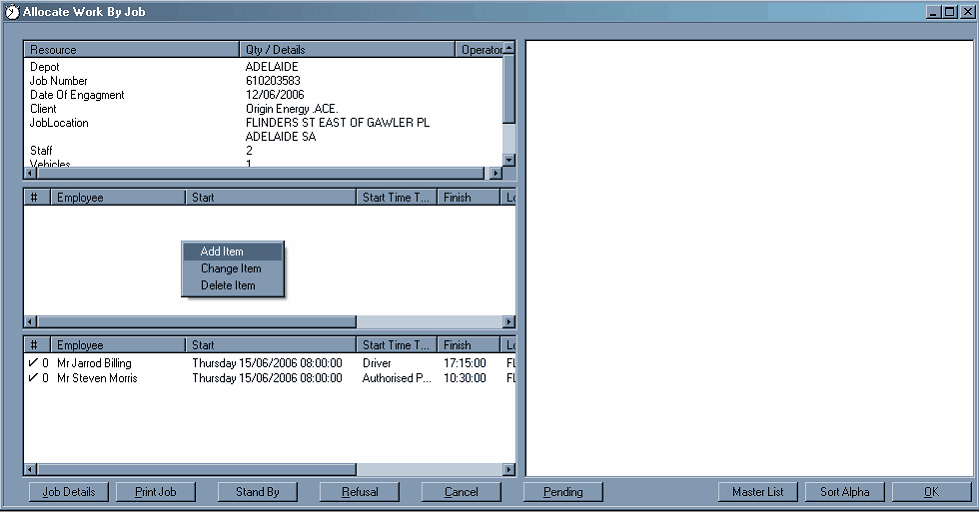
Select "Yes"

Then roster the job.
