|
Terminating an employee |
  
|
|
Terminating an employee |
|
1. Select Staff Member
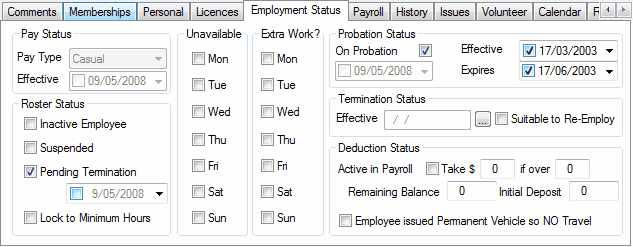
2. Click on "Employment Status" folder at bottom of Contact folder
3. Click the "Inactive Employee" square to show a tick
4. On the right under Termination Status, Click the "Effective" square to show a date
5. If the employee is suitable to re-employ click the "Suitable to Re-Employ" square
6. Go to Comments folder at the bottom of contact folder
7. Input any details relating to the termination or resignation of the employee