|
Security Groups Maintenance |
  
|
|
Security Groups Maintenance |
|
All ManStat users have security groups attached to their log in, giving permission to perform functions in ManStat. These permissions in the security groups can be changed to suit each user.
1. Go to File, System Security, Security Groups Maintenance
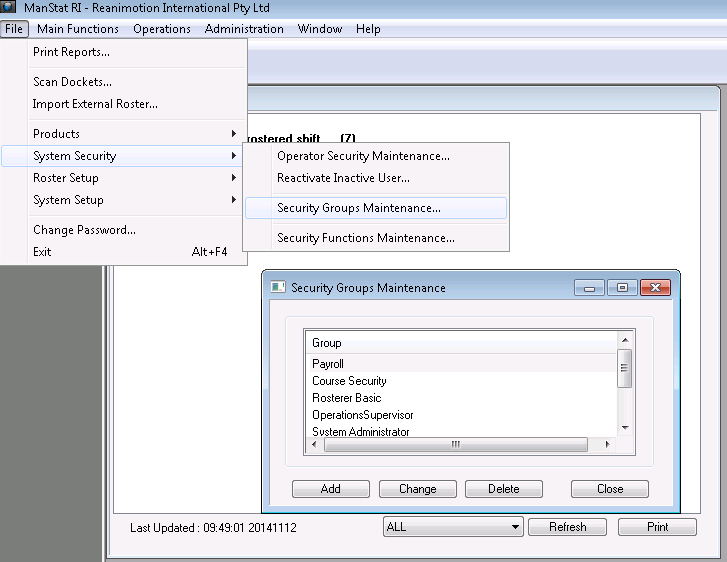
2. Select Add. Alternatively, highlight an existing security group that requires amending and select Change.

3. Highlight the desired function from the Functions Available list on the right hand side of the Change Security Group screen and select Copy.
To remove functions in a group, highlight the function not required from the Functions Included list on the left hand side of the screen and select Delete. It is possible to Delete All from a group (usually done if an existing group requires deletion) or Copy All to give ‘God’ power to a user with this security group given to them
***Note: If all functions are included, it will cause issues with security access as some functions may give the user access to a particular function whereas another selected function may remove that same function
4. Once the functions in the group are correct, press OK.