|
Multiple Short Shifts |
  
|
|
Multiple Short Shifts |
|
There may be instances where an employee is sent on a shift that ends early or was intended to only go for a couple of hours. In this instance it may be beneficial to send the employee on another short job to either top up their hours or avoid bringing in another crew.
ManStat allows this as long as a couple of rules are followed.
The start time of the new job must be after the finish time of the short one and the second job must also be entered as a short shift. The gap between the two shifts should also not be more than an hour and a half.
The actual finish time of the first job must be entered into ManStat before rostering to the second job as ManStat will think there is a rostering conflict and not allow you to proceed.
Click once on the "Staff Call In" icon  . The screen below with appear.
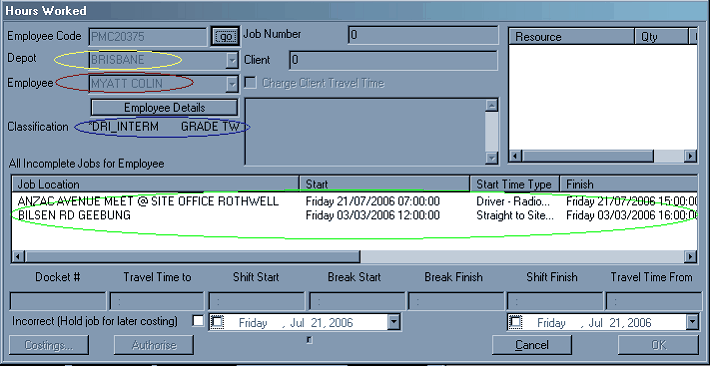
Highlight the appropriate shift and enter the docket details from left to right.
Once the details of the first shift are finalised you should then be able to roster the employee to the new shift.