|
Job Cancellations |
  
|
|
Job Cancellations |
|
When a Client needs to cancel a job you must get into "Job Maintenance", go "Main Functions" then "Job Maintenance". Cancellations are not charged if they are earlier than 2 hours prior to job start. If anything about external resources appears when you are cancelling a job, please contact your supervisor, because Police Specials may need to be cancelled
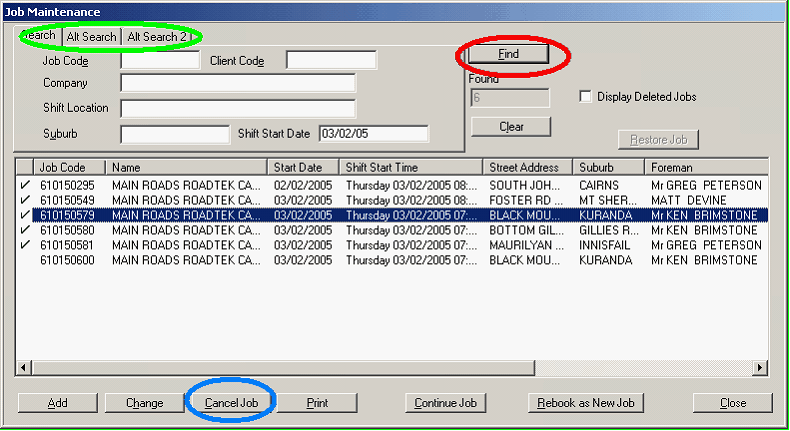
Use the 3 tabs circled in green to add the date, company and other details to find the job, and press "Find" circled in red. Once found, check all details to make certain you are deleting the correct job. Left click on the canned job and press "Cancel Job" (circled in blue).
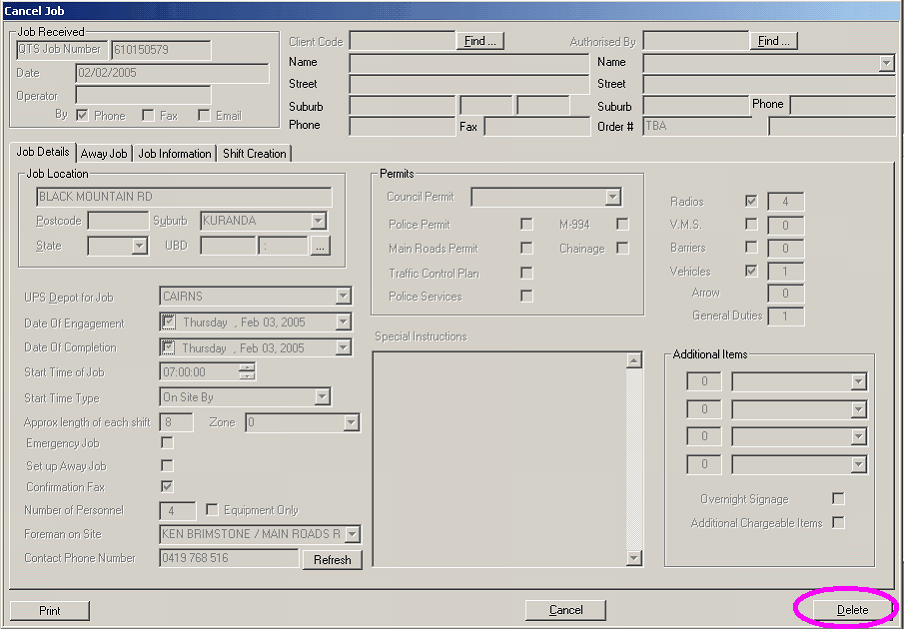
Press "Delete" (circled in pink). You will then be asked to give a reason. Type in why and the name of the client that canned the job. You must give then client the cancellation number that comes up as a future reference. The clients will only be charged if the for a canned job if it was not cancelled before two (2) hours prior to the beginning of the job or the vehicle having already leaving the depot.
If Employees are confirmed on a job due to be deleted, you need to go into "Roster Job" and call them all before you can take them off the job, so you don't forget. If you cannot contact one of the Employees you must record the times you tried to call them and who they were so you can keep trying later after the job is deleted. Employees do not get 4 hour Minimum number if they are "un-contactable" when you tried to let them know.
If Employees are pended to the job that needs to be deleted, just go in a double click all the names, you will have to give a reason, just type "job cancelled due to ……" and continue to delete that job as above. Also in the reason, make note of the "Cancellation Number" that you have given to the client.
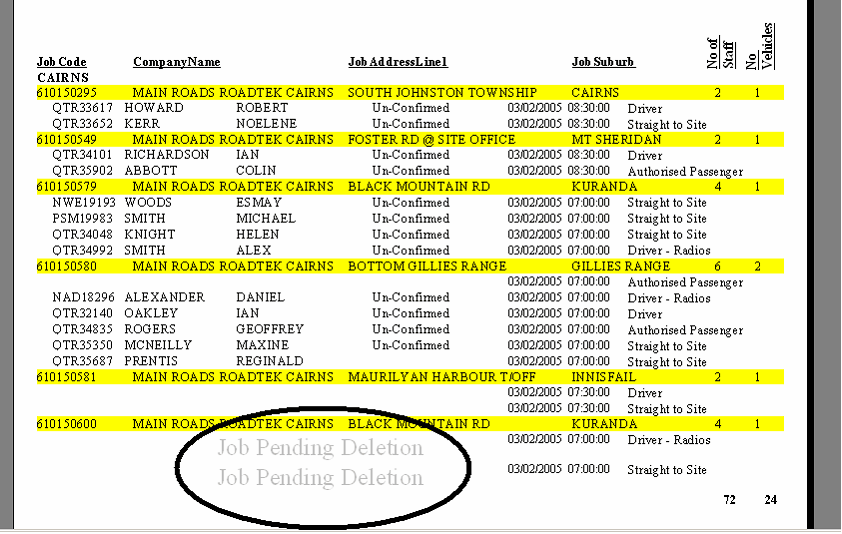
Once you have canned a job, the above will appear on the "Job Shift Summary" Only a Supervisor can delete the job fully.
25. Full Deletion of A Job – Supervisor/Manager Only!
Using the "Information Centre" or the "Job Shift Summary" Report, jobs will be left pending deletion – "Job Pending Deletion".
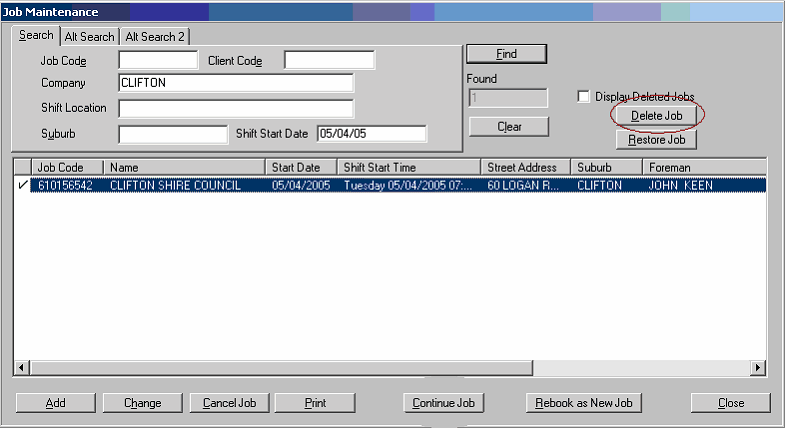
It is just a matter of finding the job, using "Job Maintenance" (see "Job Maintenance"). Press "Print" to see the reason why the job was pending deletion, then press "Delete Job". Follow prompts.