|
Finding a Contact |
  
|
|
Finding a Contact |
|
Open the contact maintenance window by selecting Contact Maintenance from the Main functions menu .
ManStat allows you to search for contacts using any of a variety of fields or combinations of fields. For example, if we enter a last name of 'Smith' and click the Find button, you will see that ManStat returns an example record for Fred Smith.

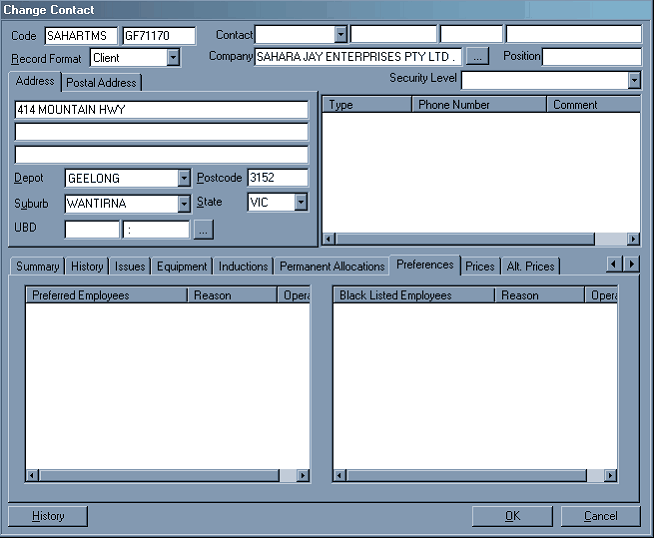
You can open this contacts record by double clicking on the item in the list or by selecting the item and clicking the change button. This will take you to the contact edit window.
For further details on finding and editing contacts, please refer to the Contact Find and Creating a New Contact sections of this help file.
As above to find staff details, use "Contact Maintenance" for finding client details, except you may also enter the company's name in the appropriate box.
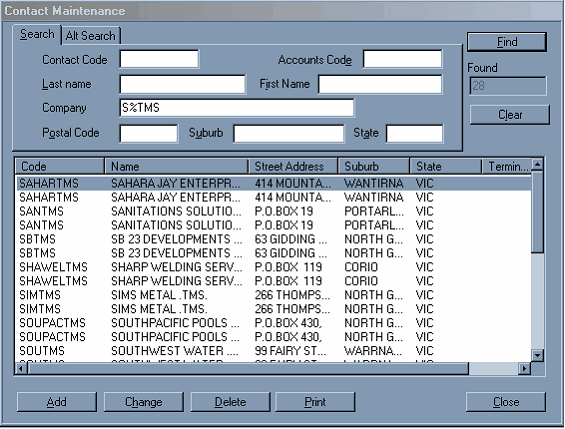
NB: Some Company Names are spelt strangely and are sometimes it is bit of a task to find them. If you put "%" in before any word in the Company's name, the system will look for companies with that anywhere in their name.