|
Find and Update Contact Details |
  
|
|
Find and Update Contact Details |
|
1. Go to Main Functions, Contact Maintenance or click on the Contact Maintenance shortcut .
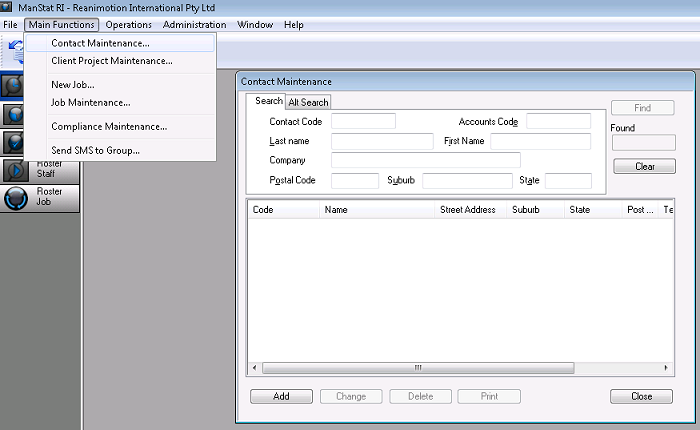
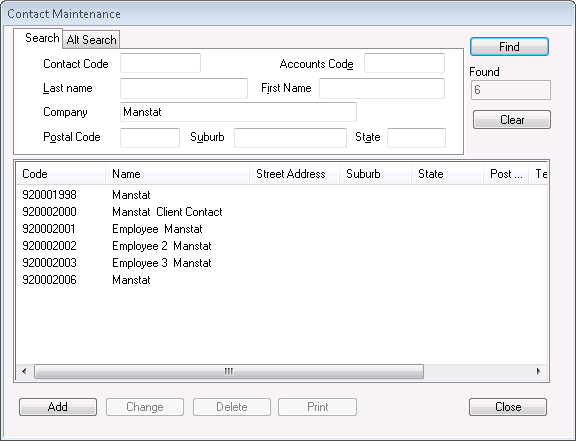
2. To search for a company, type the company name in Company, alternately, a Last or First Name can be used for employees or contacts and then click on Find.
A list of search results will appear in the bottom section of the screen (as below)
***Note: The number to the left of the Contact Name is the Contact Code
3. To select a record to update, you can either double click on the relevant result or click on the result and click Change. The record will appear as shown below.
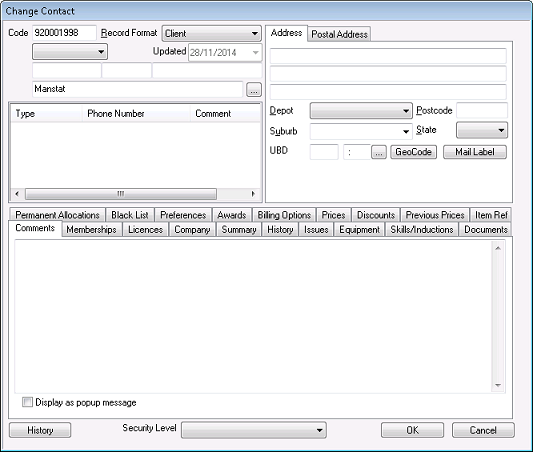
4. Make any changes to the record and click OK to save