|
Adding an Induction/Licence/Training |
  
|
|
Adding an Induction/Licence/Training |
|
Licences are for expiring entries
Inductions can have from or to dates and do not require an expiry
Training is a record of training. If the training has an outcome such as a licence it should have both a training entry and a licence with expiry.
1. Go to the File menu located at the top left of the ManStat screen, System Setup, Lookup Table Maintenance as shown below
2. Select the Lookup Type i.e. Induction or Licence and press Find to make sure it hasn’t been added already.
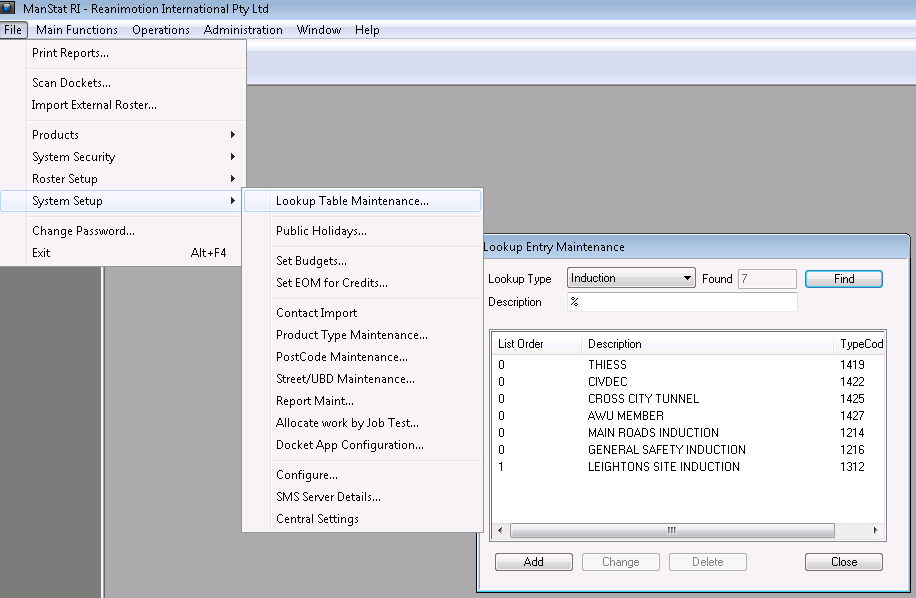
3. Press the Add button and enter in the Description of the induction or licence i.e. ABC Company Induction or Drivers Licence and press OK.
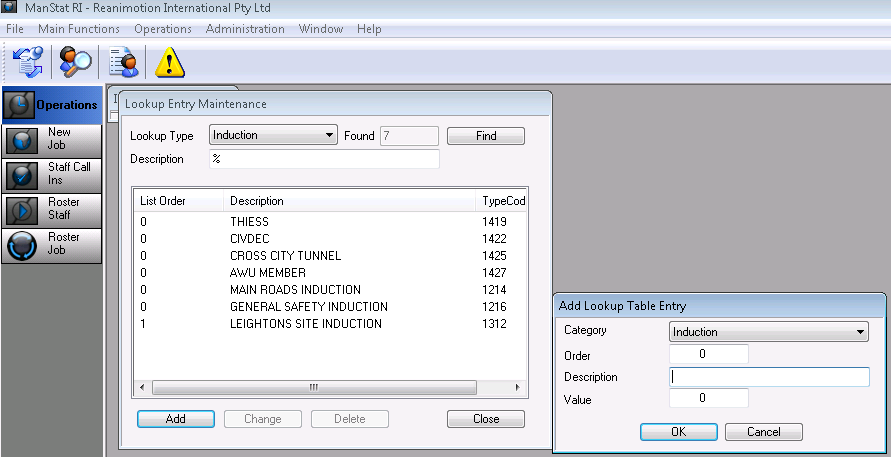
Entering a value of -1 will set the licence to critical status stopping rostering on expiry
Entering a value of -2 will set the licence to non-critical allowing rostering
Entering a value of -3 will set the licence to expired and will not allow the staff member to be rostered as a driver
***Note: If a job requires, for instance, a drivers licence or a traffic control ticket that is critical for all to have to work, add the licence to the system account so as to not have to enter it for all clients. This encompasses all clients and all jobs and if a licence is expired, it will not allow that employee to be rostered.
4. Now go to the respective client that requires the induction or licence by selecting  , enter the client name in the Company section and press Find.
5. Highlight the client and press Change.
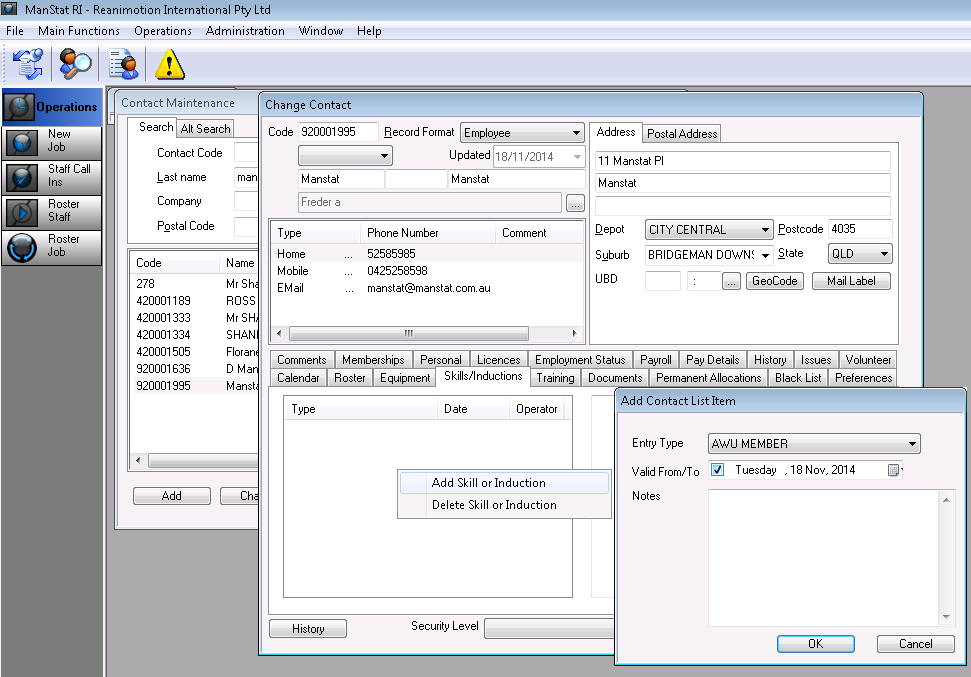
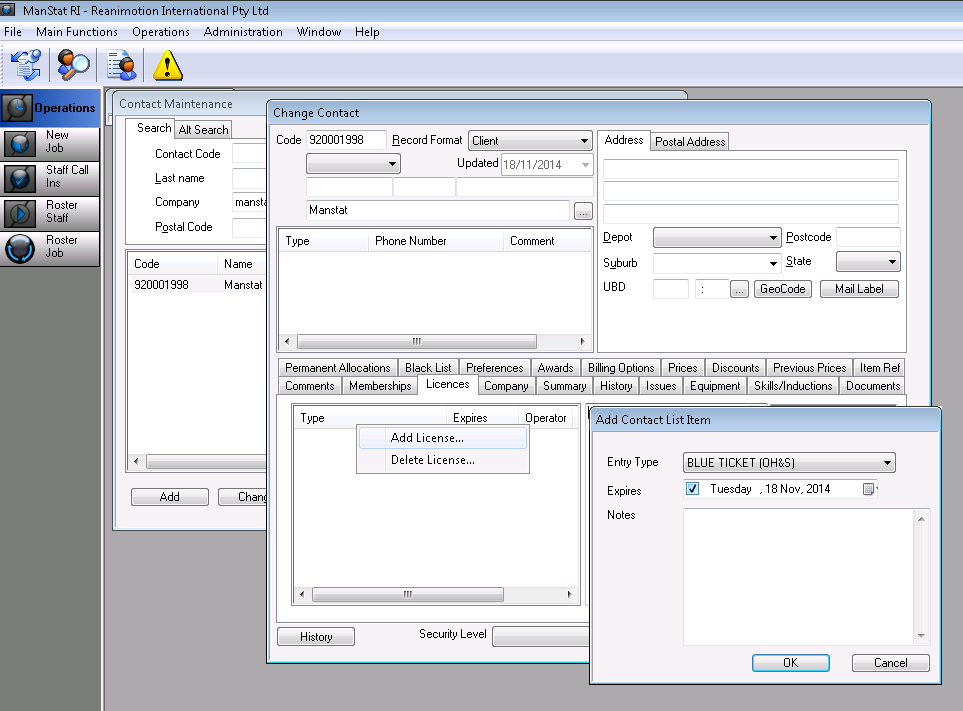
6. Go to the Licences and/or Induction tab, right click in the white section and select Add Licence/Add Skill/Induction as below.
7. Select the Licence/Induction, add an expiry date and number relating to ticket (if required) and press OK and then OK again on the client record
Employees will now need those particular licenses or inductions to work at this client’s site.
8. Go to the employee card to add a licence and/or induction by pressing the 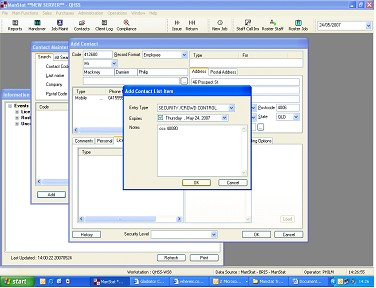 button and searching for said employee.
9. Select the employee by highlighting their name and click Change.
10. Select either the Licence or Skill/Induction tab and right click in the white section, right click on Type and select to Add Licence/Skill or Induction (as shown below)
11. Select which Induction along with an expiry date if required and any other information relating the Licence/Induction. Press OK and then OK on the employee file. This employee is now available to work at the specified site.