|
Adding a Client Contact |
  
|
|
Adding a Client Contact |
|
1. Go to the top bar and click on Contact Maintenance.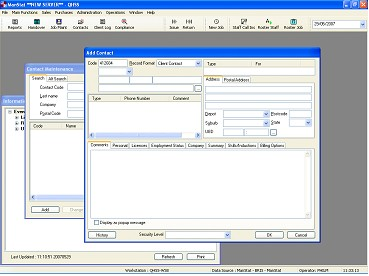
2. Select Add at the bottom of the Contact Maintenance window and the Add Contact window should appear as below. The Record Format should default to Client Contact.
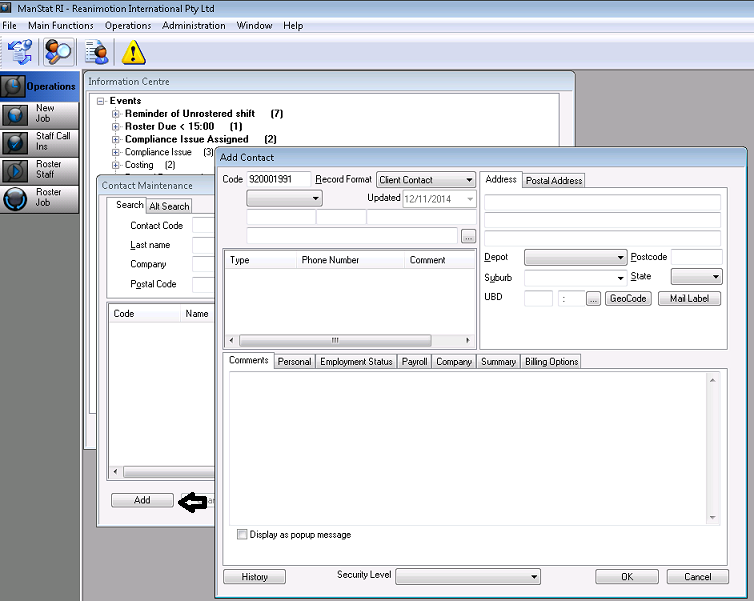
3. Type in contact name.
4. Add the contact numbers and email by right clicking in the box under Phone Number and selecting Add Phone Number.
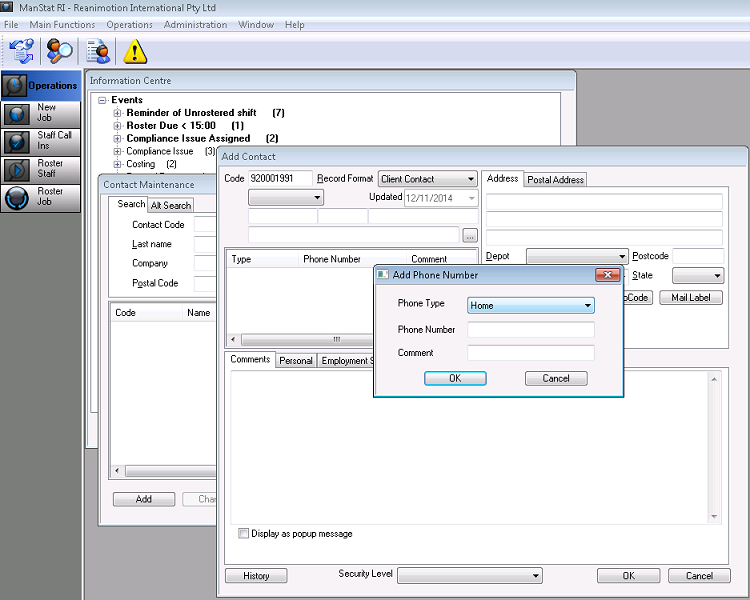
5. Click on Lookup button 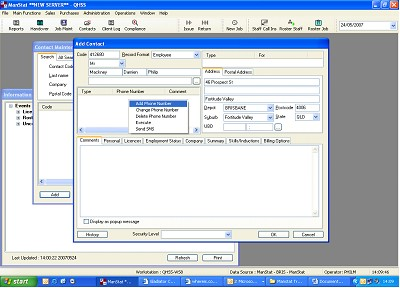 and it will bring up the Contact Find search box (as shown below).
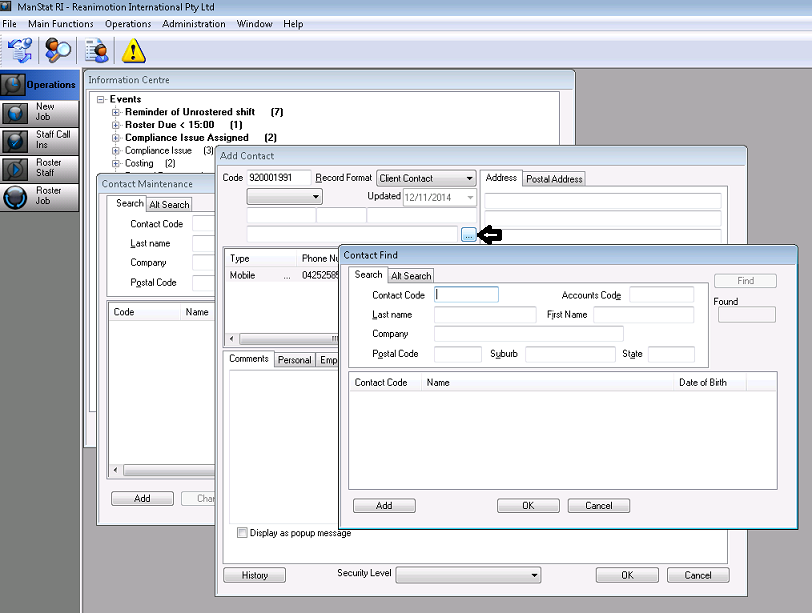
6. Type in the company name that you’re looking for in the Company section and press Find.
7. Double click on the company you want from the list provided and it will appear in the original Add Contact screen in the Company section.
*** Note: It is important this is linked correctly or the contact will not be available for job booking
8. Press OK. Now the contact is linked to company.
9. Press OK on the Add Contact screen. Your new Client Contact is in ManStat.