|
Adding a Public Holiday for Payroll & Invoicing |
  
|
|
Adding a Public Holiday for Payroll & Invoicing |
|
To ensure public holidays are paid and charged correctly –
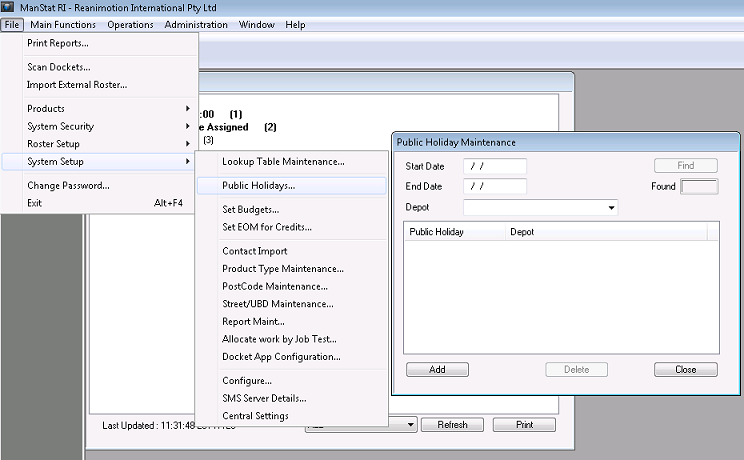
1. Go to File, System Setup, Public Holiday and the following screen will appear
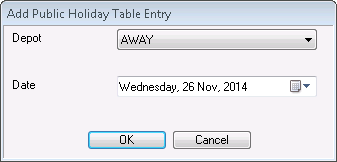
2. Click Add and select the depot and the date for public holiday and click OK
3. Click on Find to see if the public holiday date was added correctly