|
Black Lists and Preferences |
  
|
|
Black Lists and Preferences |
|
Adding a Preference or a Blacklist – Supervisor/Manager – Only!
If a client advising that a particular Employee is not welcome back to his/her/the companies' job site, we must make a note of this in ManStat so that the Employee will not be sent again. This is the same process if you are putting in a "Preference" for a Employee also (however this is not advised as it is prone to limiting employees jobs). Sometimes the client will only be banning the Employee from their certain sites and other times it will be the request of not sending the employee, back to any of the site of that company.
Find the company/foreman in the system, as below.
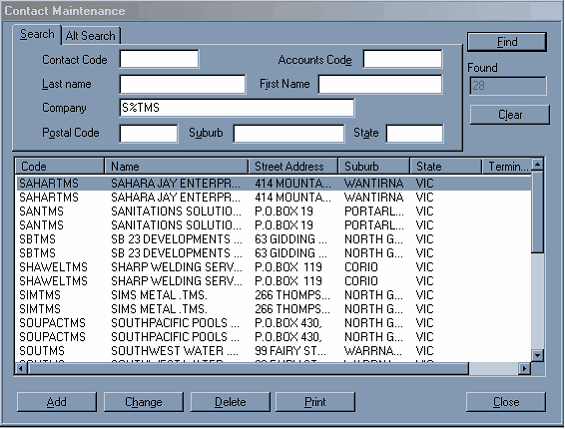
Open the company/foreman's file by double clicking or selecting it once and pressing "Change". The open file will look similar to below.
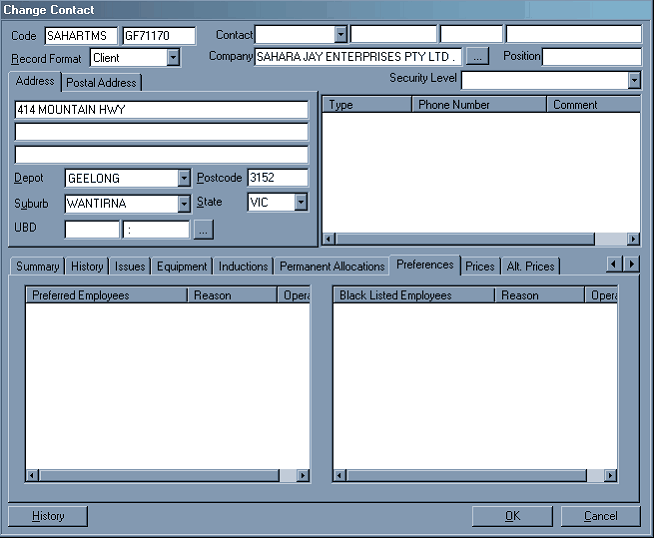
Select the "Preferences" tab as shown.
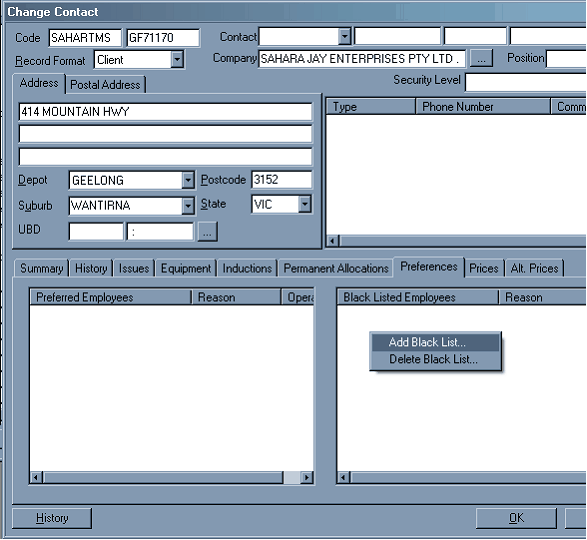
Right click in either the "Black List" and select "Add Black List" as shown above or the "Preferred" box, and select "Add Preference List" as shown below.
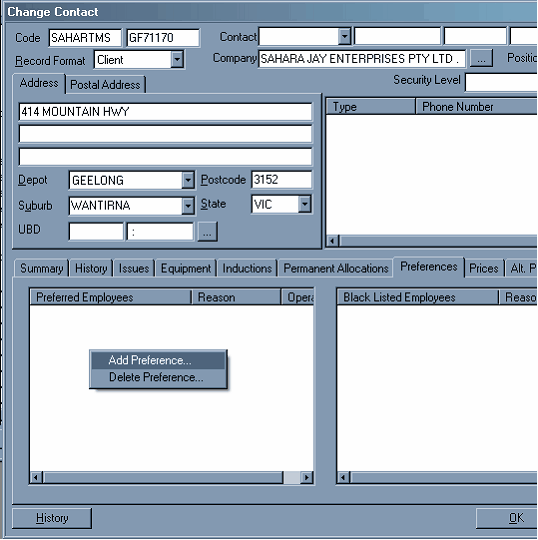
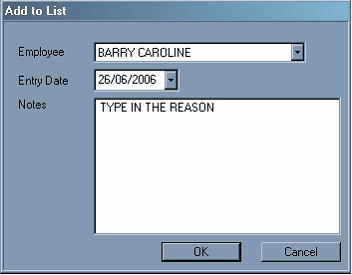
Select the Employee in that you want to add, the date will come up default as the actual date, and then type in the reason, select "OK"
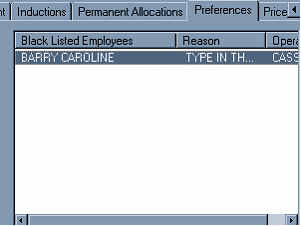
This will then show up in the employees file, and his/her name will not appear in the list for a job with this foreman/company.