|
Testing System Changes |
  
|
|
Testing System Changes |
|
When creating a new award, making changes to an existing award, changing the way a client is billed or an employee is paid – testing these changes is imperative to make sure they work before they are used in day to day processes.
ManStat Demo
The ManStat demo is the safest way to test any changes made.
1. Click on your computers Start button, generally located on the bottom left hand side of your screen.
2. Select Remote Desktop Connection.
3. Type in demo.manstat.com in the Computer field and select Connect.
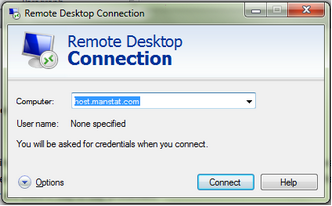
4. A “Do you trust this computer?” pop will appear, select Connect.
5. Another pop up with “The identity of the computer you are trying to connect with cannot be verified. Do you want to connect anyway?” Select Yes.
6. Username and password for first log on is demo for both. Make sure the Log on to is MANSTAT
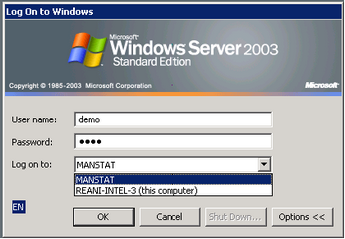
7. Next log on username and password are the same again, demo for both.
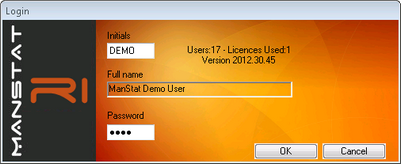
It is possible to recreate the same situation in the demo version of ManStat to your company ManStat software.
Other ways to test system changes are by using the credit and recharge function (see Chapter 11 - Credit Note from System Invoice) or re-export payroll (see Chapter 12 - Reset and Re-Exports for Payroll).