|
Scan Dockets |
  
|
|
Scan Dockets |
|
Verifying Scanned Dockets
After scanning the bundle of dockets, you must verify that the dockets scanned have been recognised by the computer. If the computer has not recognised the number on the docket, you will have ton go through and look at each individual docket.
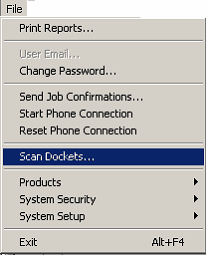
Go FILE – SCAN DOCKETS… (as selected below)
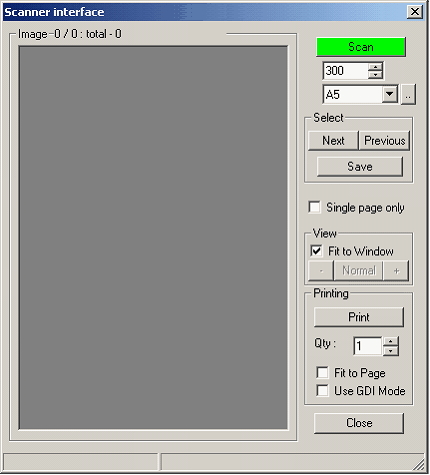
The box below will appear. Then click on the "SCAN" button high- lighted in green.
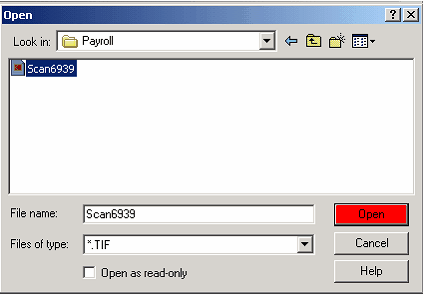
Then select the file you have sent the scanned dockets to.
Select each docket file individually and press "OPEN" (high-lighted in red below)
The below screens will appear.
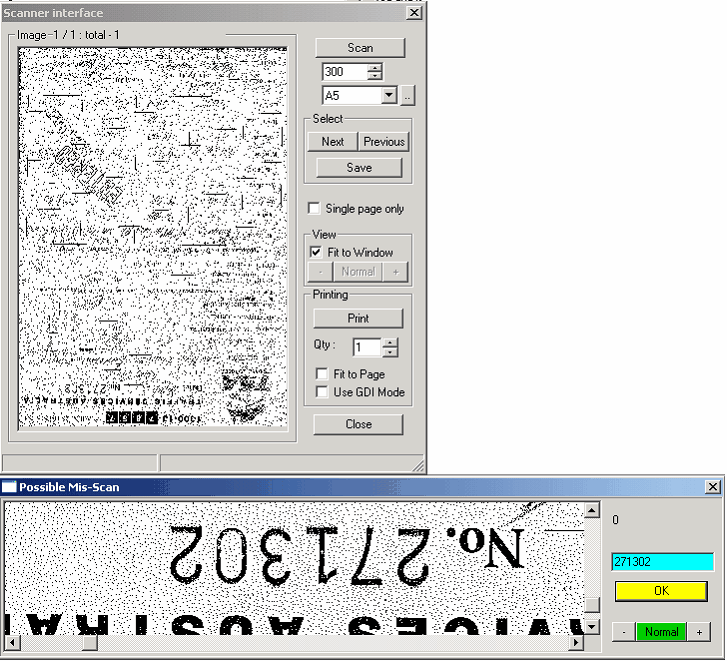
The scanned docket will appear in one of the boxes, too small to read. The other will have the scanned docket show up in it also, however this one you can make readable by pressing the "NORMAL" button, high-lighted in green.
Use the horizontal and vertical scroll bars to show the docket number in the window, then in the supplied area (highlighted in aqua) type in the docket number the press "OK" (high-lighted in yellow)
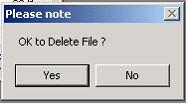 Then press "YES".