|
Report Printing |
  
|
|
Report Printing |
|
Reports are a crucial part of day to day tasks. Reports are helpful to see at a glance how many un-rostered shifts there are (see Incomplete Job Shift Summary) or the employees that are working, or which clients are booked and start times (Job Shift Summary), for a day, a week, for a specific depot etc.
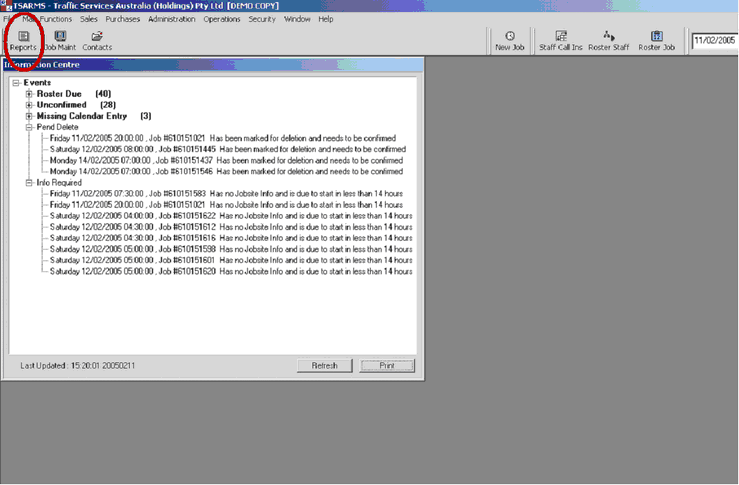
Left Click once on "Reports" button  , found in top left hand corner of screen, as shown below(circled in red ).
The screen below will appear. Click once on the plus sign connected/next to or alternatively double click on the file in which you wish to report with, eg. "Rostering"
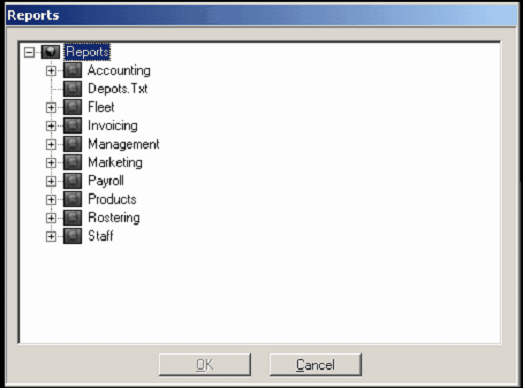
There are many reports that do many things. When rostering from the Brisbane depot (Head Office) you must generate the reports for All Depots, because the Brisbane depot will be the after hours Centre for all other depots, Nation wide. For all other depots (depots that roster 1 area only ) then you will choose the reports without "for all depots" noted.