|
Award Set Up |
  
|
|
Award Set Up |
|
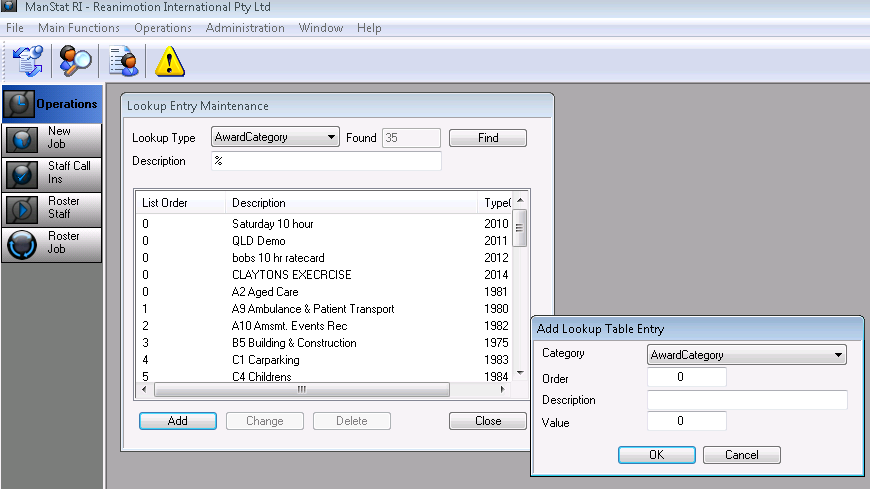
1. Go to File, System Setup, Lookup Table Maintenance.
2. Under Lookup Type, select Award Category.
3. Select Add and enter the Description and click OK.
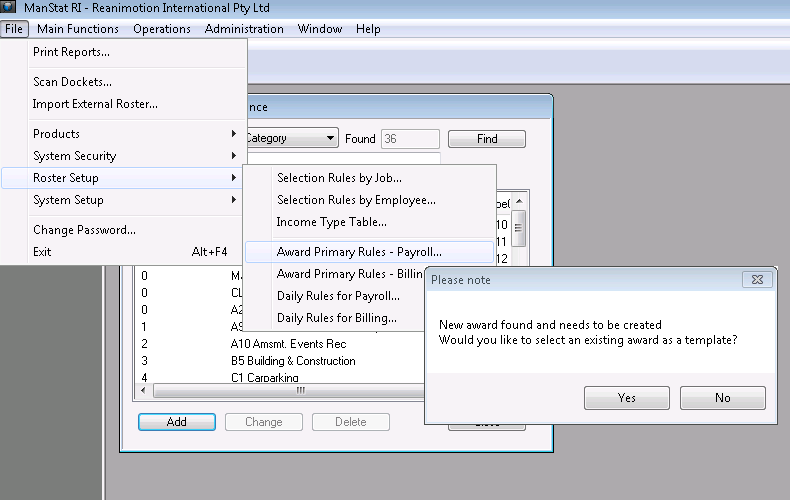
4. Then go to File, Roster Setup, Award Primary Rules Payroll. A pop up will appear with New Award Found and Needs to be Created, Would You Like to Select an Existing Award as a Template? Click YES.
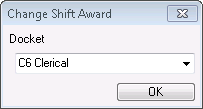
5. Another pop up with ‘Change Shift Award’ will appear, select an existing award as a template to copy onto the new award and click OK.
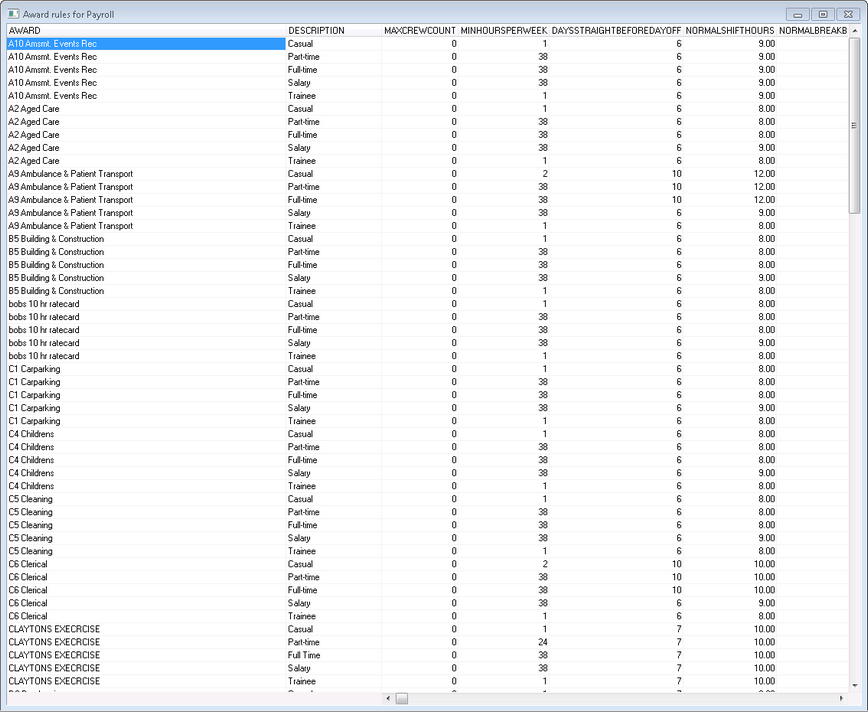
The new award along with the existing award/s matrix will appear (as shown below). You can now change parts of the new award as desired.
6. Go to File, Roster Setup and from there, the Award Primary Rules for Payroll & Billing and the Daily Rules for Payroll & Billing can be adjusted.
7. To updated the desired clients to the new award created, Go to Contact Maintenance, search for the Clients Name and change the Default Award Category in th Billing Options tab