|
Truncated Binary Data |
  
|
|
Truncated Binary Data |
|
When there is too much information written in one information section, it can cause binary data to be truncated.
If you try and save a job with too many letters entered in a specific section, you will get a pop up error as follows.
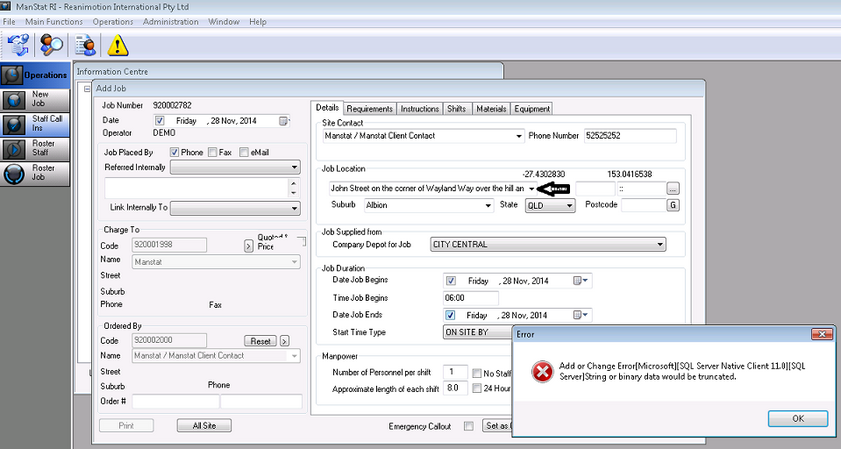
To fix this issue, just shorten the amount of letters used – in this example, the Job Location and then Save.