|
Locked for Billing |
  
|
|
Locked for Billing |
|
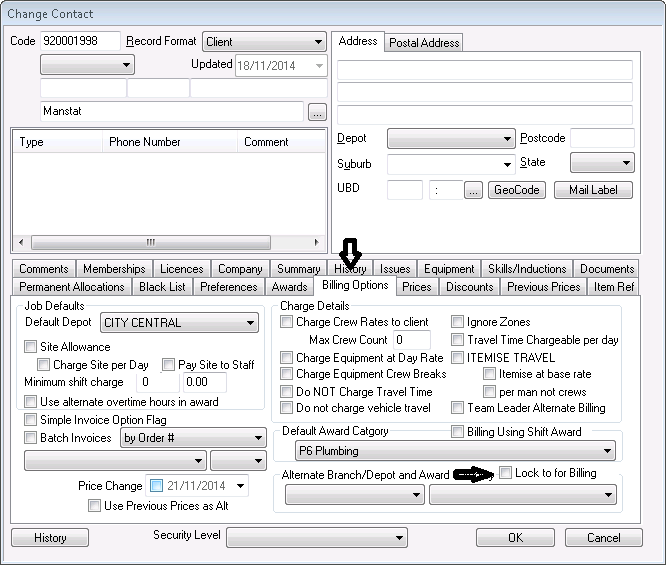
To lock a client for billing (so that shift and depots overrides cannot be allowed)
1. Go to Main Functions, Contact Maintenance, Find and Select the required contact
2. In the Billing Options Tab of the client record, underneath the Default Award Category, there is a 'Lock to For Billing' tick box (as indicated below). Tick this box if you want to use this alternate award for billing purposes only (this will override the default award for billing), keeping your default award to pay your employees.