|
500 codes and ATVEHICLE Prefix |
  
|
|
500 codes and ATVEHICLE Prefix |
|
When selecting Equipment with the LookupType ID codes 490-510 (ie vehicle_basic) in a New Job booking, it will automatically trigger a driver shift, which will trigger a particular award, which will again trigger particular product codes for billing.
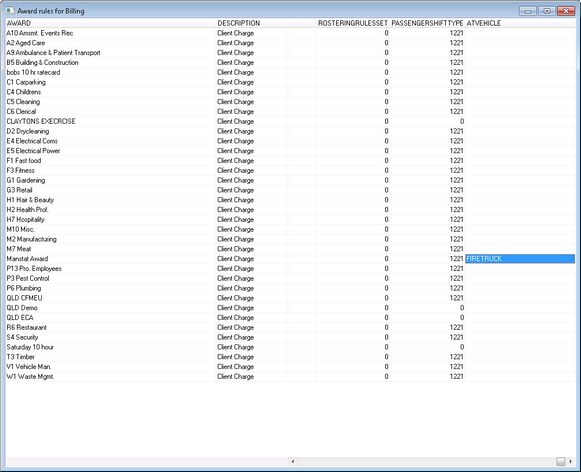
There are options within the system to select alternate shift types and depots which will trigger alternate awards and product codes (see Chapter 9.6 and 9.8),and similar to the AT Crew Prefixes, alternate product codes can be placed in the ATVEHICLE field (as shown below) of the Award Primary Rules for Billing to allow for billing of different types of vehicles.
1. Follow instructions in Chapter 8 - Setting up a New Product eg FIRETRUCK
2. Go to File, Roster Setup, Award Primary Rules for Billing
4. In ATVEHICLE column, add new product code to relevant award so that when this award is triggered, the appropriate vehicle product code will be used for billing
5.Link shift type or depot to award (refer to instructions in Chapter 9.6 and 9.8) so that award and product code are triggered when New Job Booking is made